A quiet night garden instead of a cloud.
Open-source, local-first voice dictation. Hold a key, speak, release — clean, formatted text appears at your cursor in any app.
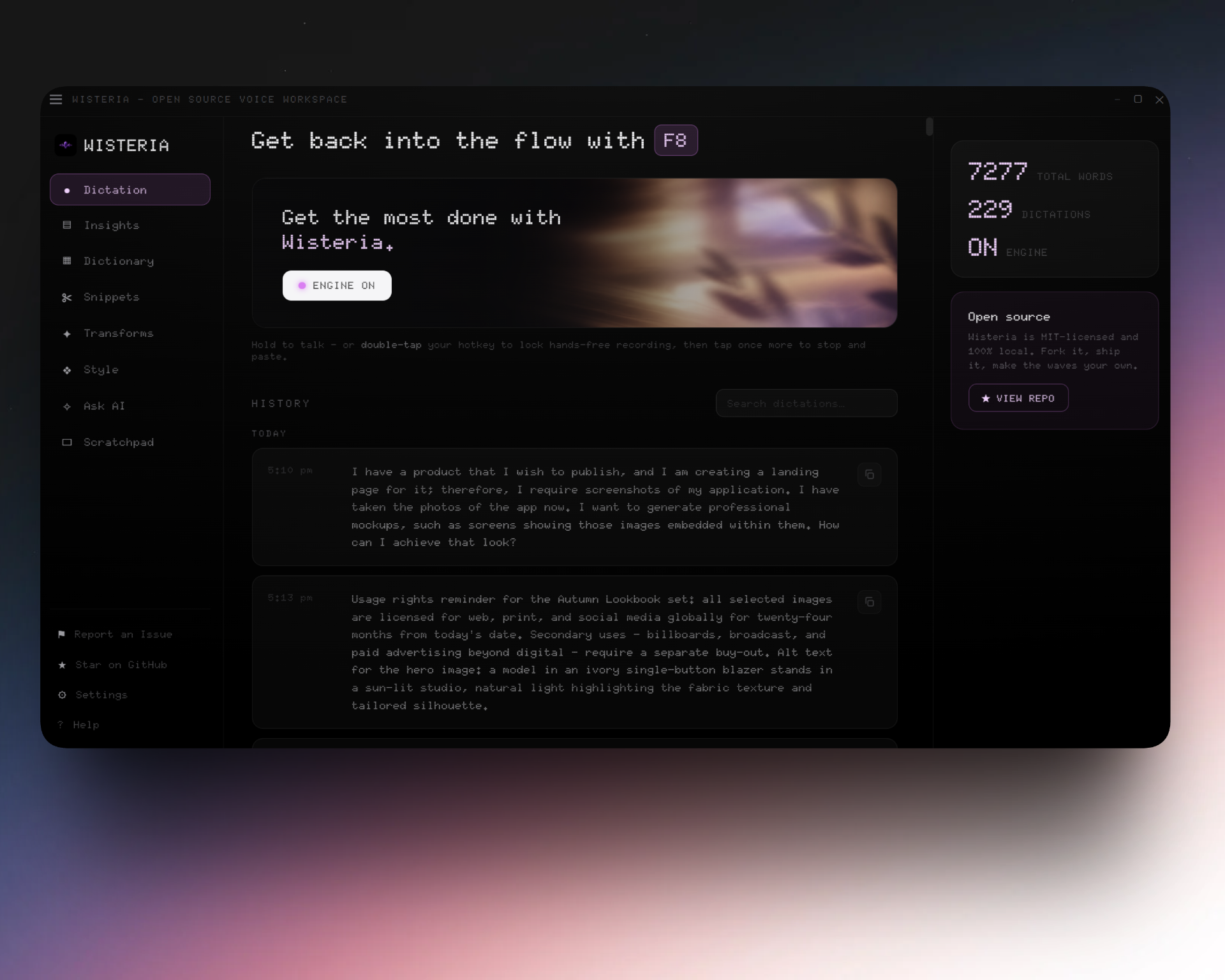
Your voice never leaves your machine
Most polished dictation tools stream your voice to proprietary models on rented GPUs. Wisteria runs the whole pipeline locally: a speech-to-text model transcribes, a tiny local LLM strips the “um”s and fixes punctuation, and the result is pasted at your cursor — all in a few hundred milliseconds. No cloud, no account, no telemetry.
What’s inside
Push-to-talk
Hold a global hotkey (default F8) to talk; double-tap to lock hands-free.
100% offline
Your voice never leaves the machine. No cloud, no account, no telemetry.
Local transcription
Parakeet TDT by default, Whisper large-v3-turbo for 99-language mode.
Smart cleanup
A tiny local LLM removes fillers, fixes punctuation, and shapes the text.
Personal dictionary
Teach it your names, jargon, and brands — corrected even with the LLM off.
Voice snippets
Say a keyword + trigger to expand verbatim text like addresses or signatures.
Ask AI mode
Open a dictation with a keyword and the local model answers, pasting the reply.
Cross-platform
Windows and Linux today, first-class; a macOS build is on the roadmap.
How to use it
- Install the build for your OS from the download section below.
- Pick your hotkey — the default is F8, changeable in Settings.
- Hold the key and speak. The Dock blooms to show it’s listening.
- Release. Wisteria transcribes, cleans up, and pastes at your cursor.
- Tune it — turn on the local formatter, dictionary, snippets, or Ask AI.
Local by default — cloud when you want it
Wisteria runs the whole pipeline on your machine, with no account and no telemetry. But the cleanup and Ask AI stages are pluggable: link any OpenAI-compatible API service — OpenRouter, OpenAI, Groq, Together, and others — as the formatter backend. Add your key in Settings, fetch the service’s model list, pick one, and Wisteria keeps the connection warm between dictations for low latency. Local stays the default, and your key never leaves your local config.
On machines with low computational power, small local models run slower and won’t always clean up text as well as a larger one. If you want higher-quality results without heavy local compute, plug in a fast hosted model instead — many are free of cost (for example Groq’s llama-3.1-8b-instant or OpenRouter’s free tier) — through the BYOK API services described above. For the lowest latency, pick a small, fast, non-reasoning model.
Download
Choose your operating system to see install instructions.
Roadmap
FAQs
Yes. The whole pipeline — transcription and cleanup — runs on your machine. Nothing is uploaded, there is no account, and there is no telemetry. An optional BYOK cloud formatter exists, but it is never required and never the default.
Only once, on first run, to download the speech-to-text model. After that Wisteria works fully offline.
Parakeet TDT 0.6B by default for transcription (Whisper large-v3-turbo for multilingual), and a very small local model such as Qwen3 via Ollama for cleanup. Both are swappable.
Running locally, Parakeet gives the fastest transcription, and small formatter models like Gemma or Qwen3 give the cleanest results on modest hardware. If you would rather not spend local compute on cleanup, the best free option through the API services is OpenRouter with a free-tier Gemma model (e.g. google/gemma-3-27b-it:free) — pick a small, fast, non-reasoning model for the lowest latency.
Nothing. Wisteria is open source, dual-licensed under MIT or Apache-2.0.
Windows 10/11 and Linux (x86_64) have prebuilt installers today. A macOS build is tracked on the roadmap.
Yes. Wisteria injects text at the active cursor through the OS input layer, so it lands wherever the caret is — your editor, browser, terminal, chat box, or a form field. There is nothing to integrate per app.
No GPU required. The default Parakeet model runs comfortably on CPU on a modern machine, and Wisteria uses your GPU automatically if one is available for lower latency. The local formatter is optional — skip it and dictation runs on very modest hardware.
Yes. The push-to-talk key defaults to F8 and is remappable in Settings. Double-tap to lock it hands-free, then tap again to stop — useful for longer dictation without holding the key.
Parakeet handles English out of the box. Switch to Whisper large-v3-turbo for multilingual mode, which covers 99 languages. Both run locally.
Yes. A custom dictionary lets you add names, acronyms, and technical terms so they come out spelled the way you mean, and snippets expand short phrases into longer boilerplate as you dictate.
Yes. Wisteria is dual-licensed under MIT or Apache-2.0, and the full source is on GitHub. You can build from source, remap the hotkey, swap models, tune the formatting, or contribute back.